In my previous blog, we saw Nuance Mix Natural Language Understanding, this is the part II of Nuance Mix Building a Bot, if you have not seen the first part, please see here.
In this blog we will complete the flow by building Dialogs for our NLU in Nuance Mix.
What is Mix Dialog –
Mix Dialog is a multichannel dialog development tool for creating conversational experiences. It works closely with NLU. In Mix dialog, you build conversational interfaces to engage the user.
Lets continue with our use case RichiCoffee, an online coffee shop would like its customers to order coffee online, via text or voice. The Bot will greet the user and will try to identify the intent. So lets get started with building the Dialog.
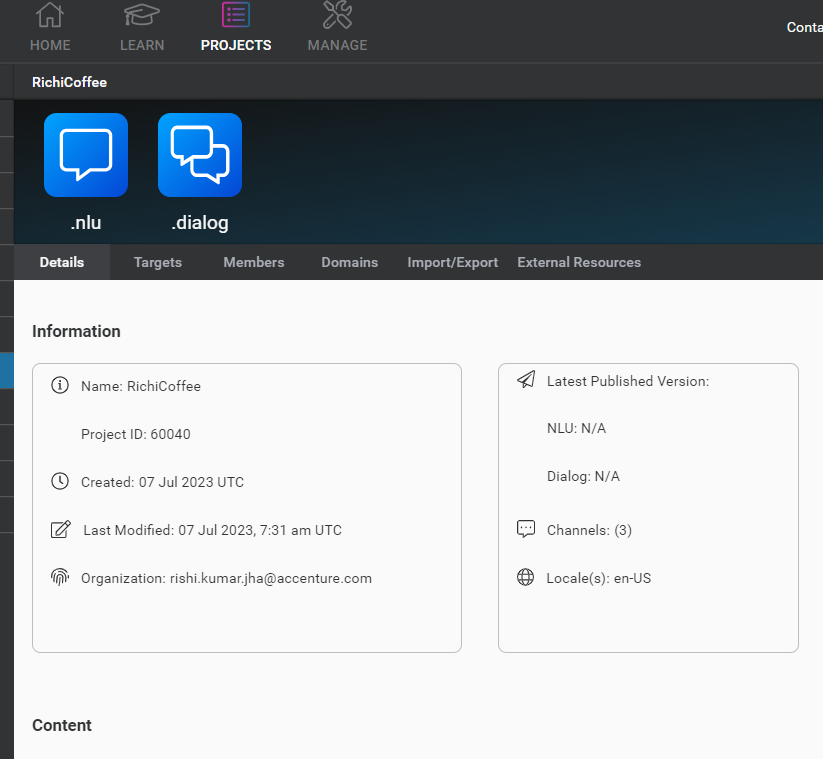
To create a new Dialog, Login on to Nuance Mix Dashboard, from the navigation area select the Project RichiCoffee and click on dialog icon as show below.
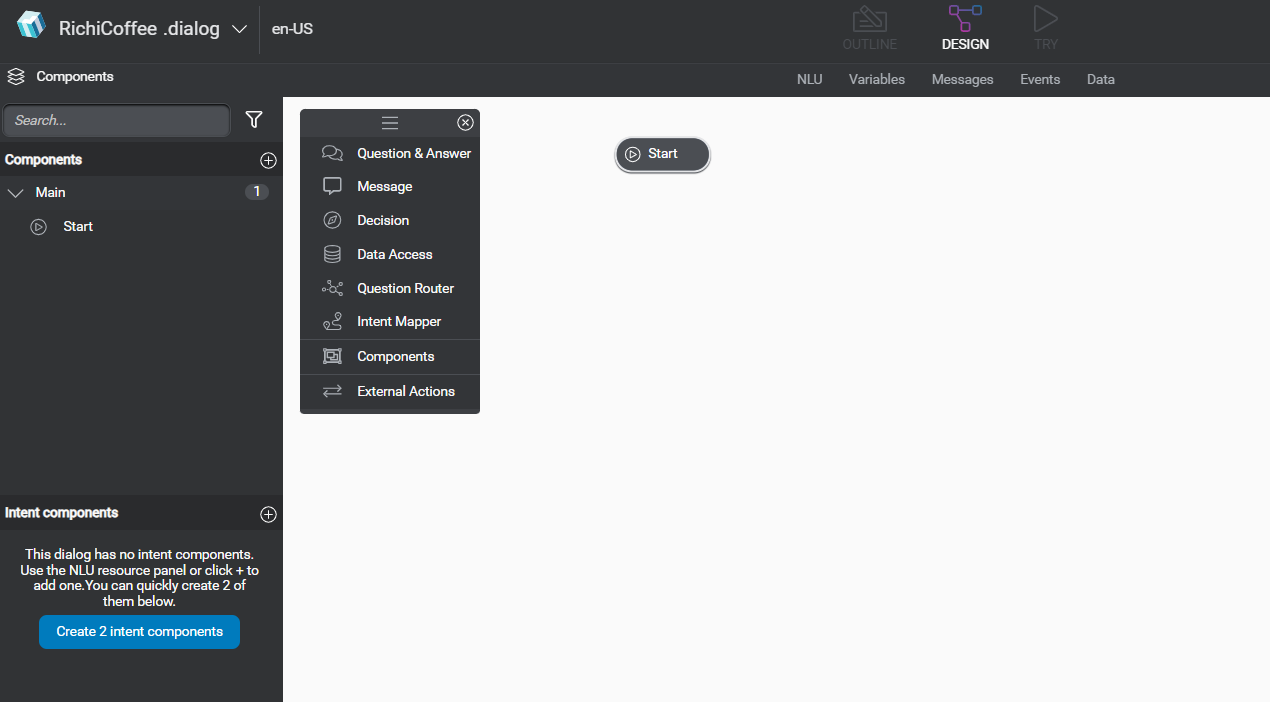
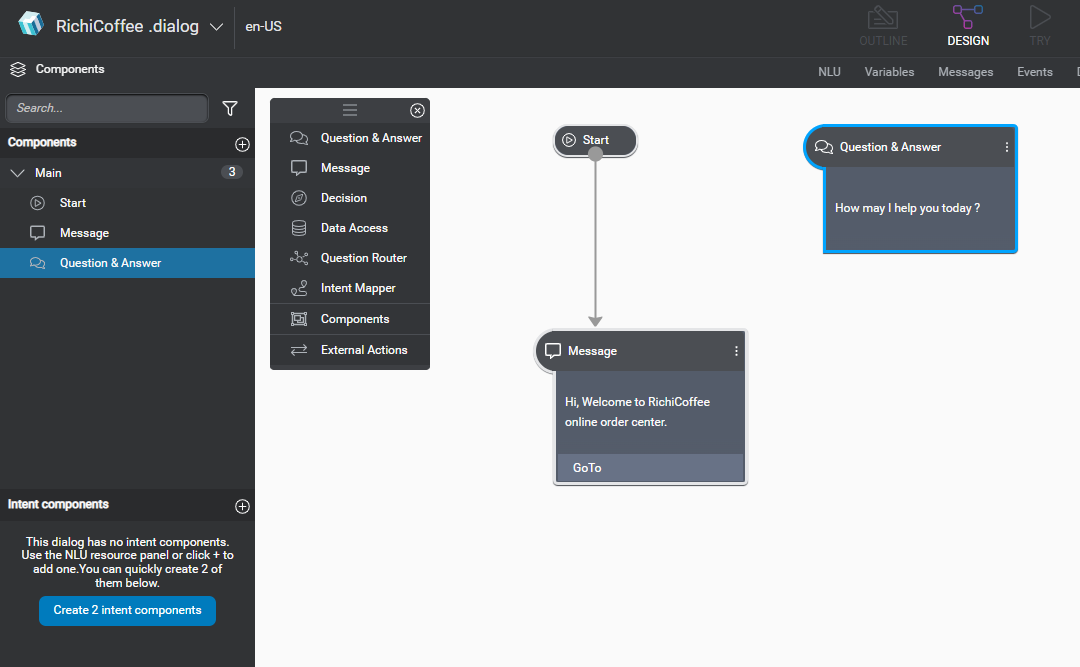
Lets understand the basic components of the Dialog, as you can see in above diagram, there are multiple controls we can put on Dialog flow. Like Questions and Answer, Messages, Decision , lets drag and drop few of the controls. For our use-case RichiCoffee, we would like to greet customer at very first steps. For that drag the Message control on Dialog.
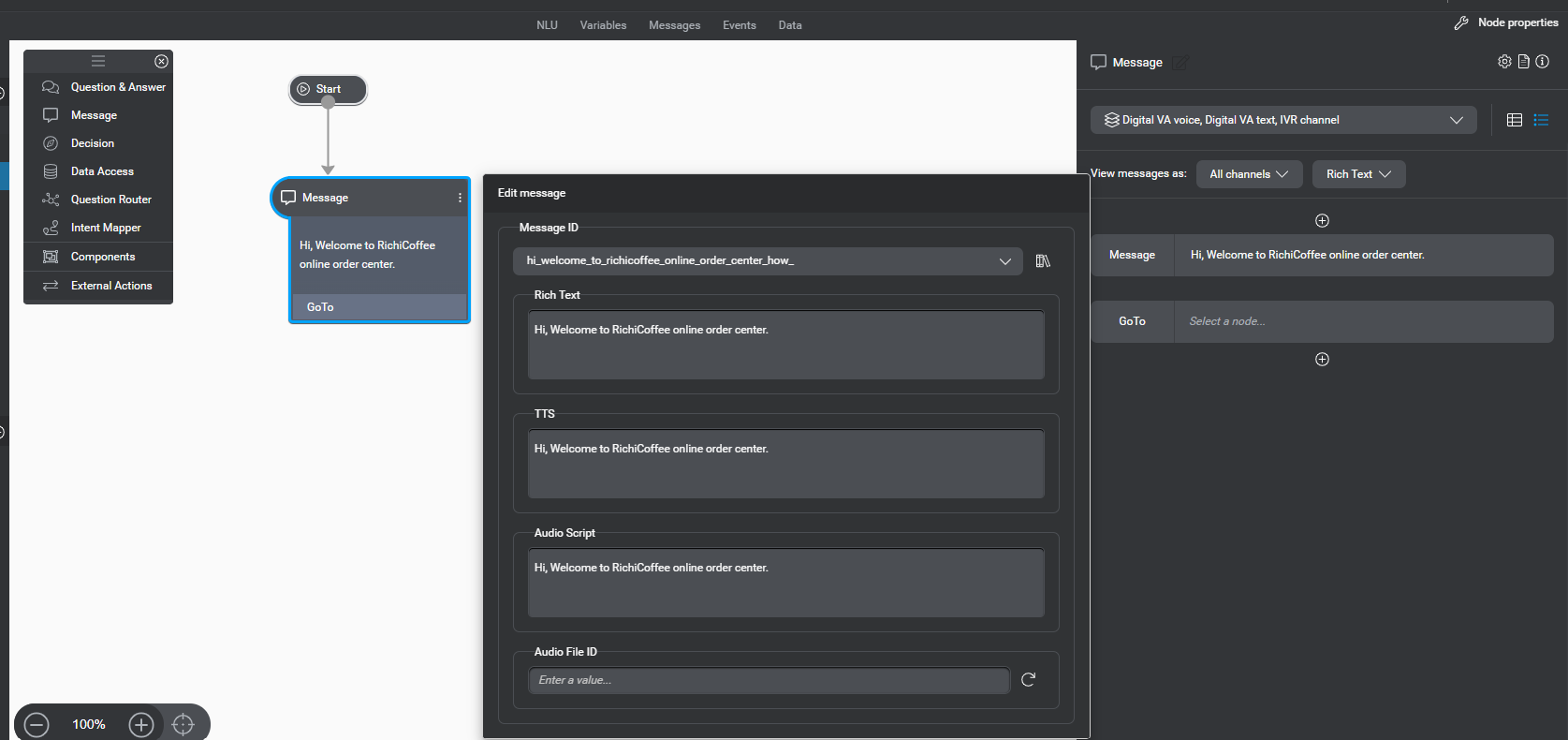
Define the message, by typing “Hi, Welcome to RichiCoffee online order center.” There are 3 options while defining the message.. explained below
Rich Text : Will be displayed when user is chatting with Bot
TTS (Text to Speech) : Will be shown when converting text to speech
Audio Scripts : Will be played during IVR calls
we have greeted the customer, now lets ask the very first questions to know, customer Intent/need/ask. For that drag and drop question and Answer component.
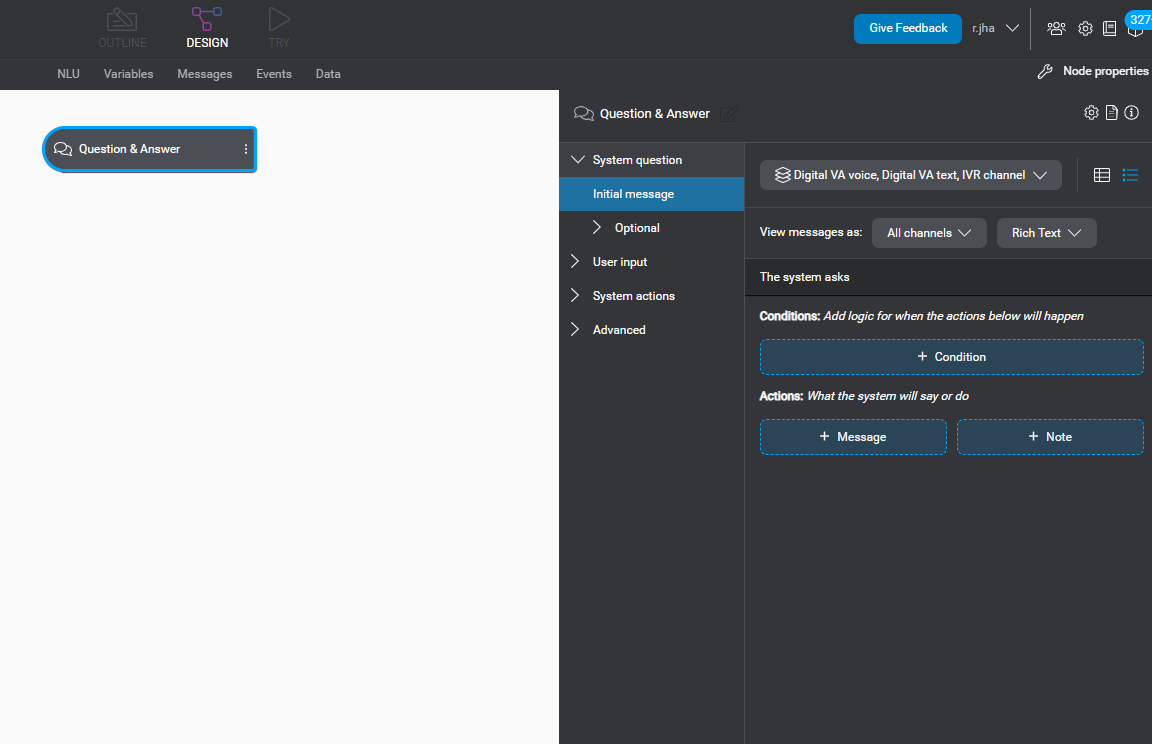
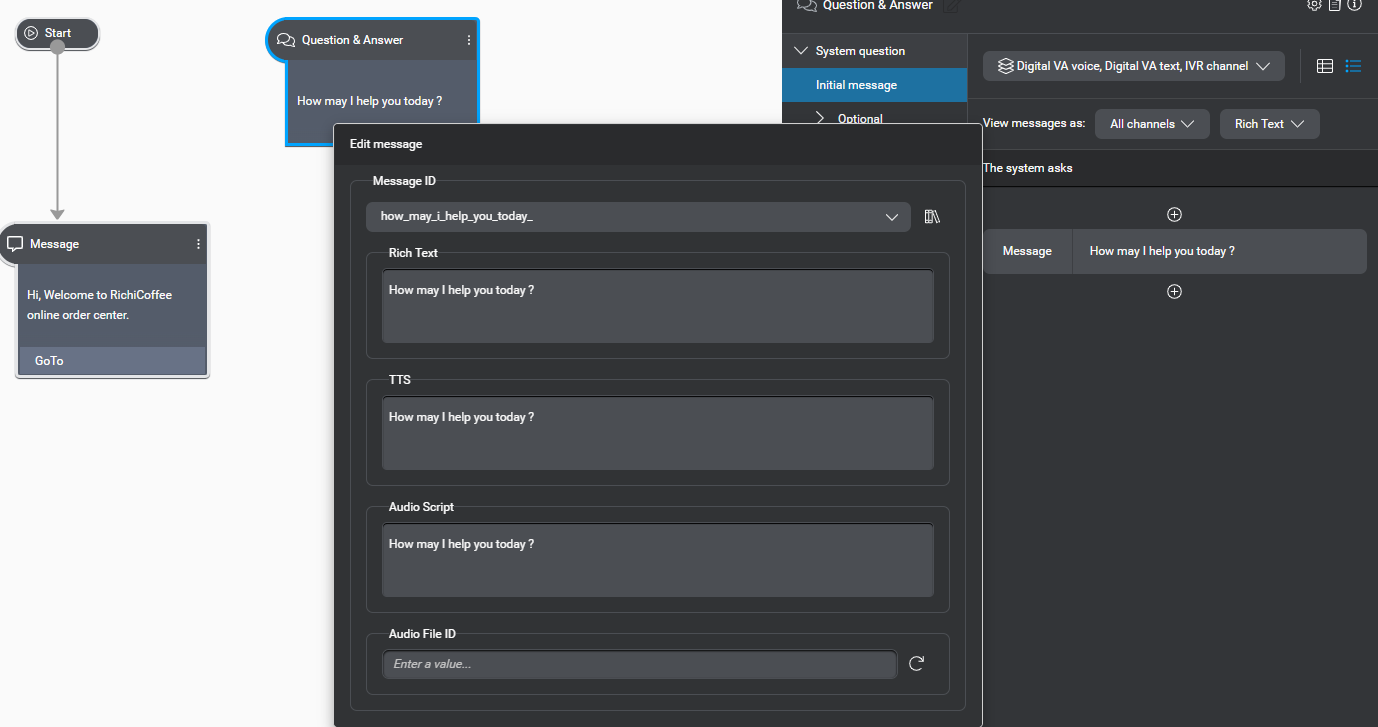
lets design the Q&A component. From the Initial Message as selected above, click on + Message button, and type the message as show below.
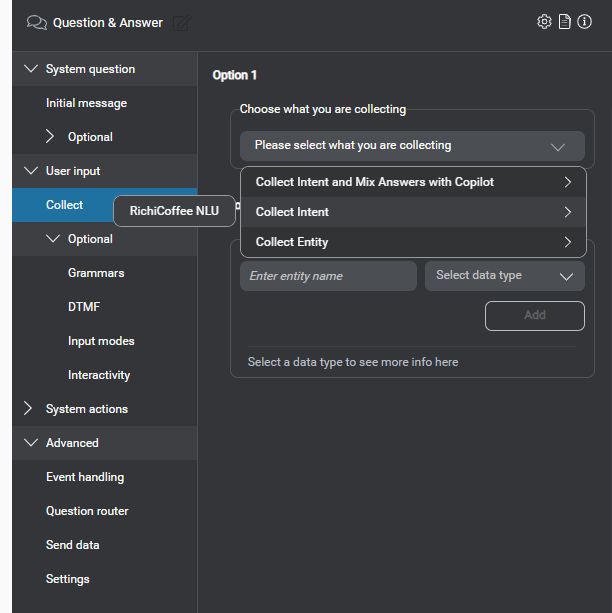
Now click on user Input , and then Collect. You have the option to collect different items here like Entity or Intent. In our case select Intent as show below.
Once you select the collect intent, you the option to create intent component as show below.
Click on “Create 1 intent component” button. It will create 2 intent components, 1 will be for No Intent and another would be for OrderCoffeeIntent.
Click on Message component and click on “Go To” button on the right side to route the flow from welcome message to the first question like shown below.
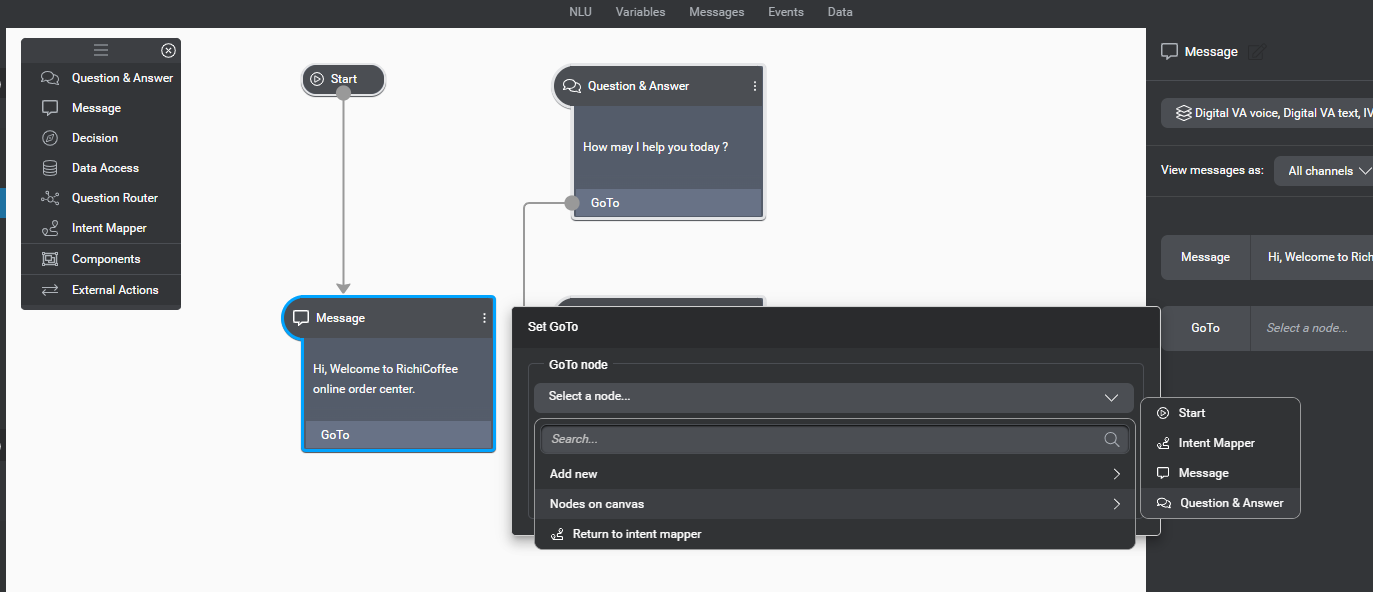
Okay, lets summarize what we did so far, we have greeted the customer and ask question and mapped his intent, now we need to transit to the specific node as per Intent mapper.
Click on “Add intent mapped Node” button as show below.
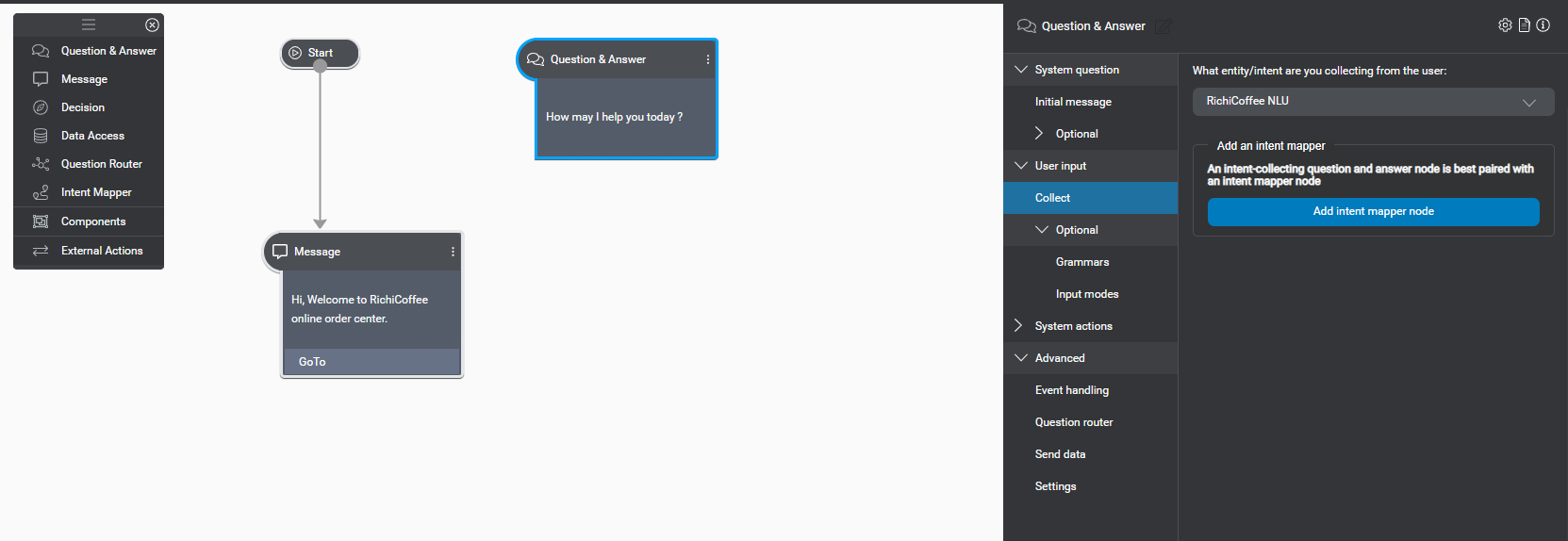
This will add Intent Mapper node. And now click on orderCoffeeIntent as show below
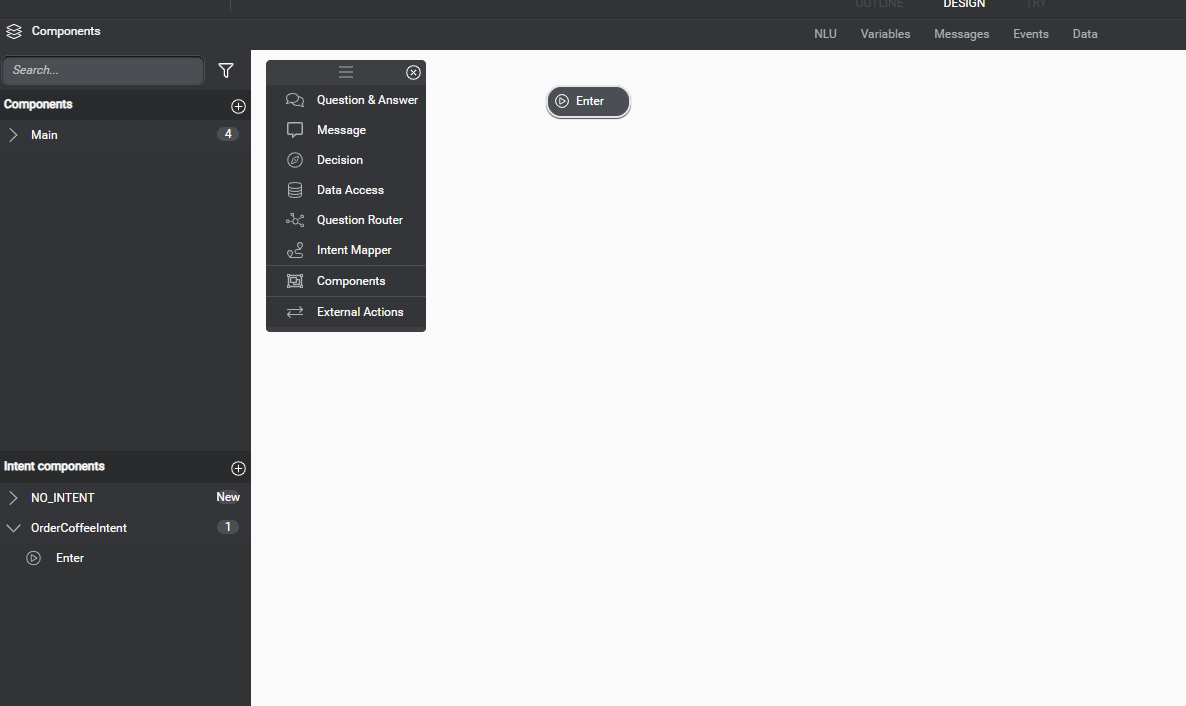
This dialog flow will be designed for order coffee intent. Lets drag a Question and Answer component on Dialog. And we will now as what size of coffee they want to order as shown below.
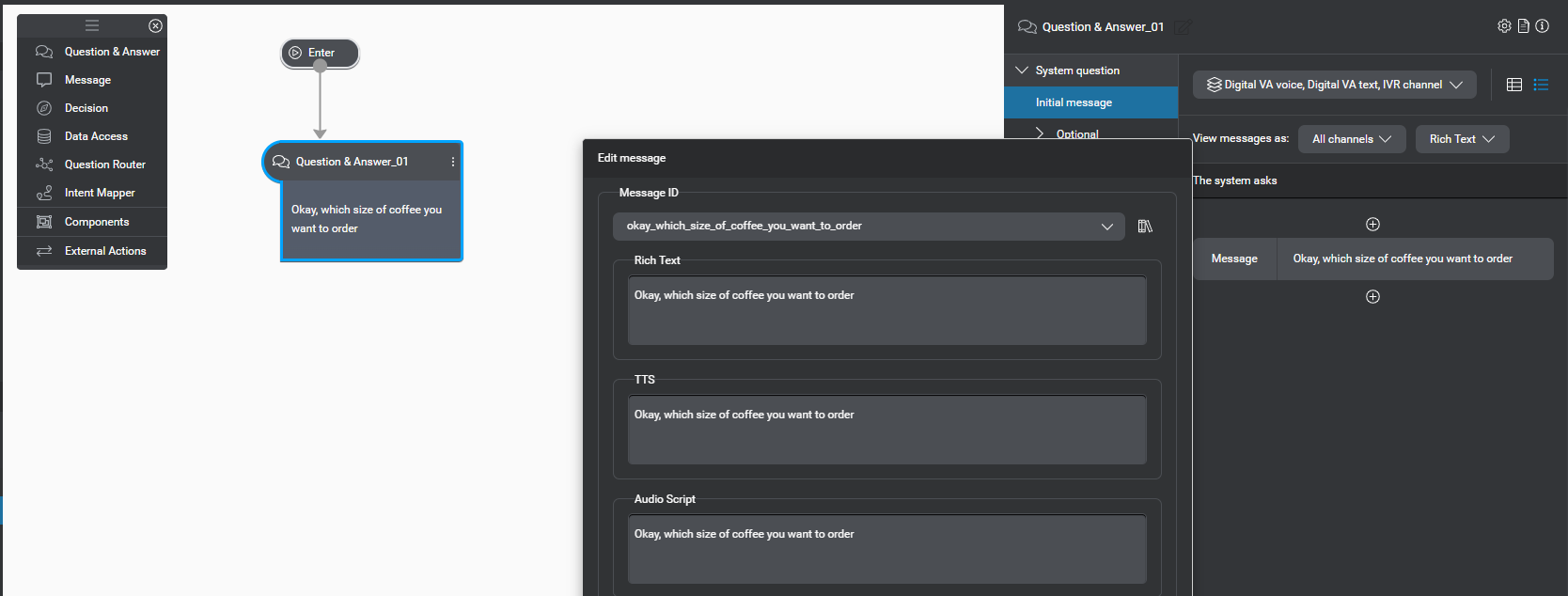
Select the User Input and collect option and select the size of coffee from collect entity option, remember we create an entity in Part 1. So we will collect the user input in the entity.
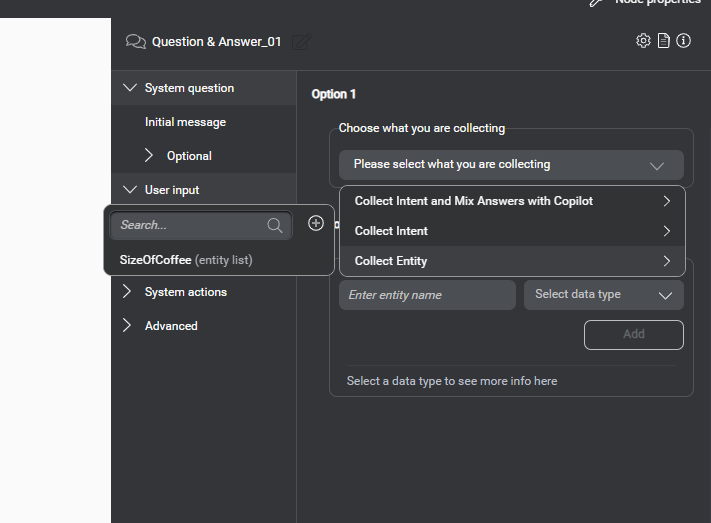
Once we collect the size of the coffee, we can define the next system action, for simplicity we will just display confirmation message to the user.
Drag and drop Message control on dialog and display the confirmation like below.
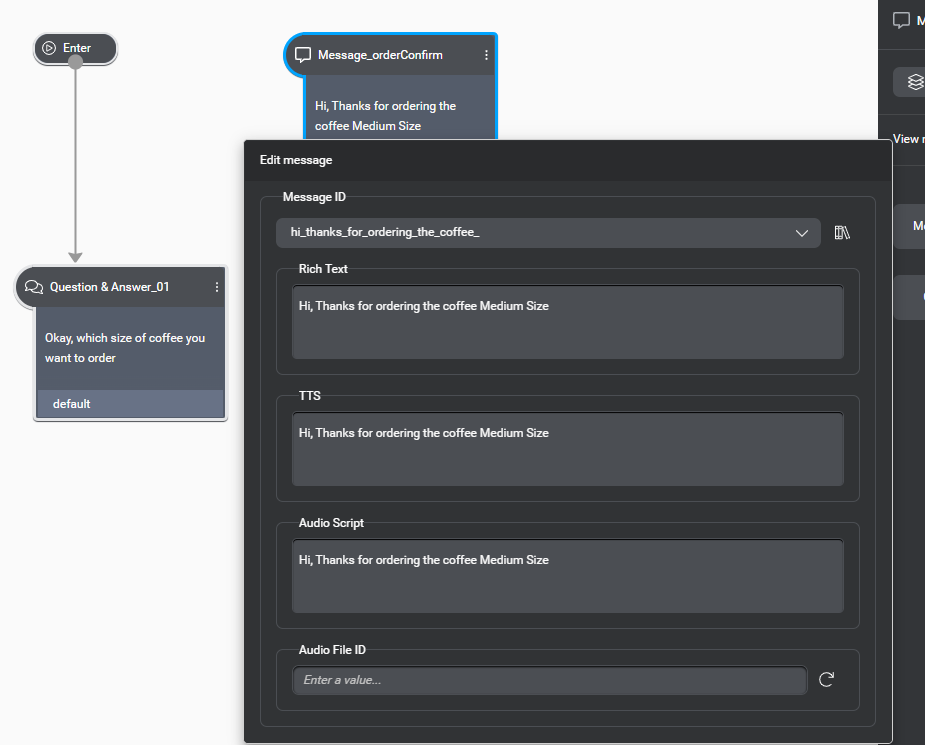
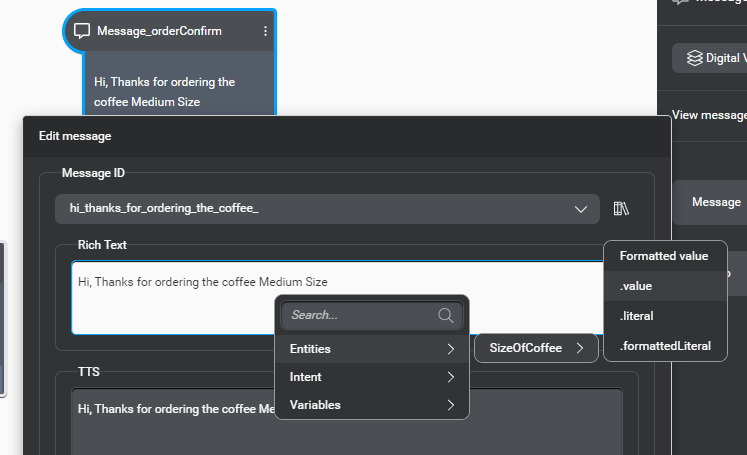
Now we have to replace the Medium size which is hard coded in above image to the collected user input in the entity. So for that just simply double click on “Medium” word, and select the .value as shown bellow. Rename the message as Message_orderConfirm.
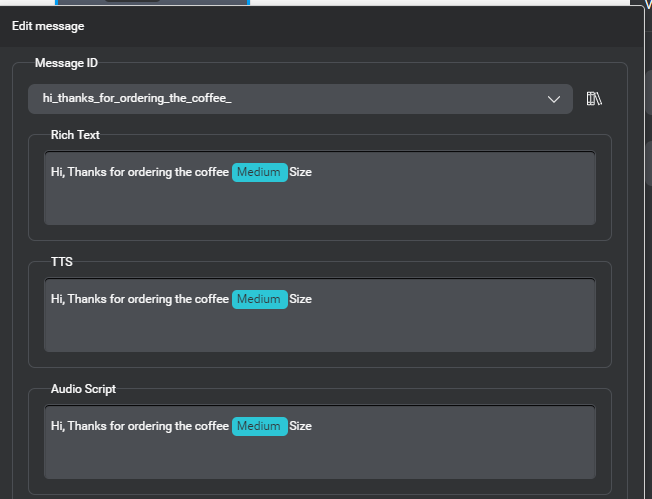
Repeat the same for TTS and Audi script. You can see below the Medium is now highlighted in different color as it will now display the user selected option.
We have defined the confirmation message, lets bind this node so it will be show once user provide the input for coffee size.
Select the question and answer on the order coffee Intent node, and select Go To and select the existing Node option and click on Message_orderconfirm.
You can now test the bot by using try option.
Thanks..






 decodeDynamics
Leave a comment