Nuance Mix is a conversational AI tool which empowers organizations to quickly and easily create and maintain their own enterprise‑grade, omnichannel customer service experiences for IVR, chatbots, and more.
In this article we will build a sample Bot. You can set up your account for Mix from Nuance Mix Portal.
Okay, lets get started.
Nuance Mix has 2 key components –
- NLU (Natural Language understanding)
- Dialog (The flow of conversation)
We will try to understand both the concepts with a use case.
RichiCoffee, an online coffee shop would like its customers to order coffee online, via text or voice. The Bot will greet the user and will try to identify the intent. Intent is basically a probable demand/need of the user. Once Bot identifies the intent, it will ask more specific questions e.g. size of coffee, flavor, sugar, etc. For simplicity, lets take an example, it asks for size of coffee. And then, Bot itself places the order.
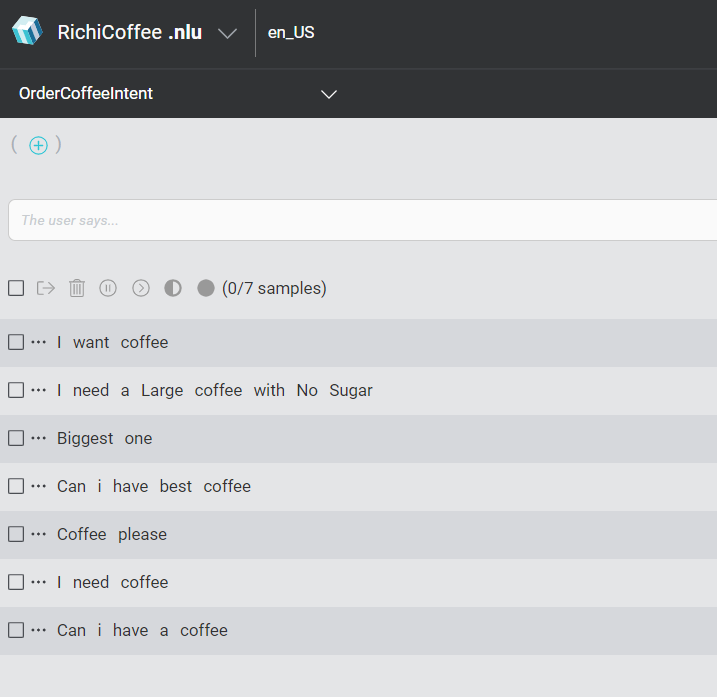
NLU : NLU provides the option to create sample text, there are different ways to say one particular thing, for example –
- I need coffee
- Coffee please
- Can I have the best coffee
- Biggest one
- Small coffee please
- or a more elaborated would be “I need a Large coffee with No Sugar”
If we take above example “I need a Large coffee with No Sugar“, the intent of the user is to get Coffee and Sugar value would be No.
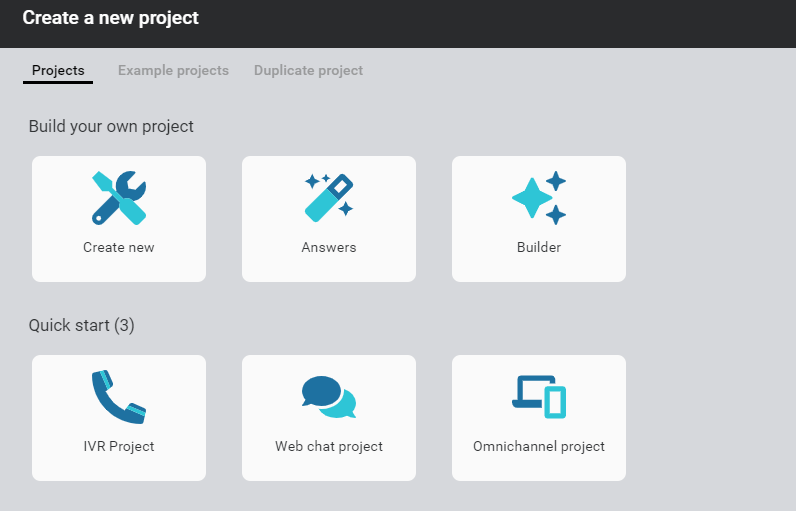
Login to Mix website and create a New Project, by clicking + sign.

Select Create new from the options.
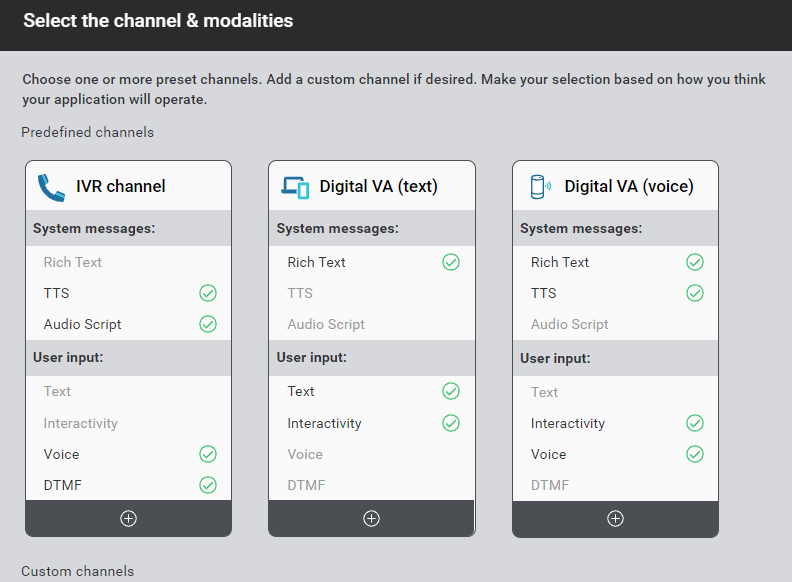
Click on the icon (+) shown under IVR Channel, Digital VA Text and Voice. You can choose either one of the options as per requirement, and then click Next.
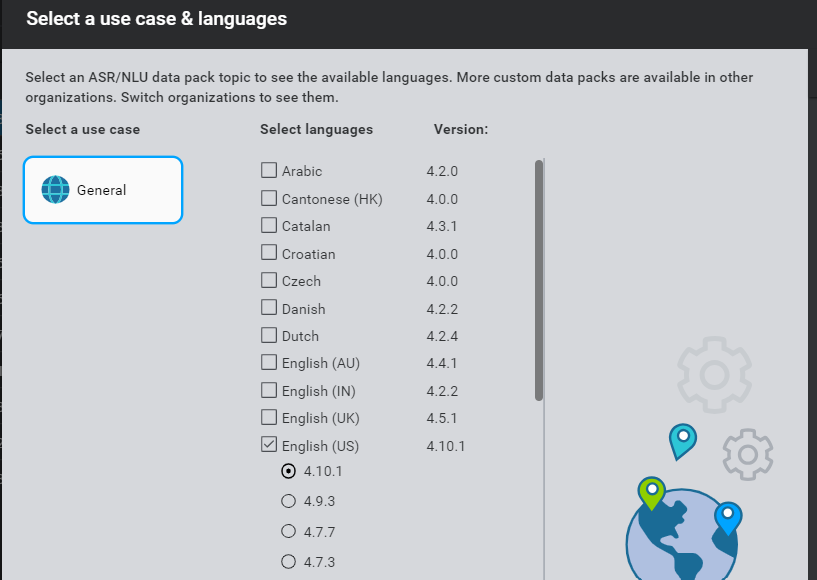
Select the Language. You can select multiple languages as per need. In this case, we will select English.
Enter Project name and click on Create.
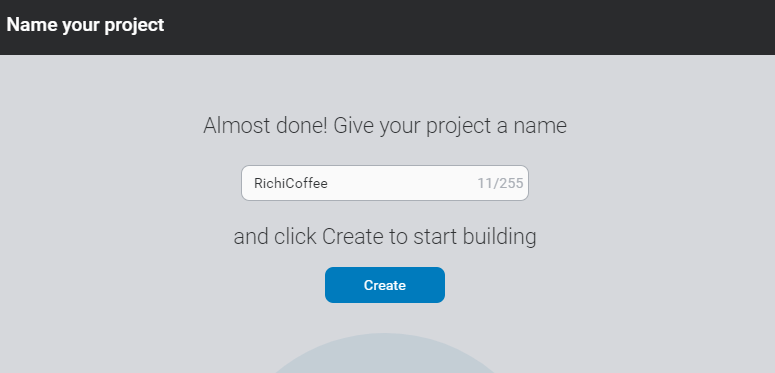
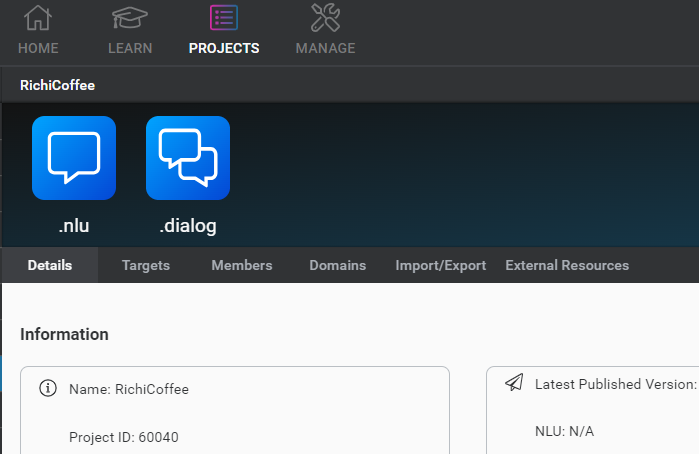
Click on the NLU.
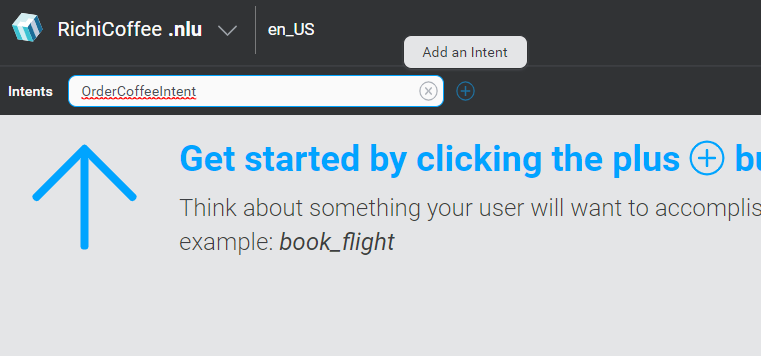
Now, we need to provide sample text to the NLU. For that, lets first create a New Intent, type Intent as OrderCoffeeIntent and click on + icon.
Select the newly created Intent and add sample text like below.
Click on Train Model to train the NLU Model.
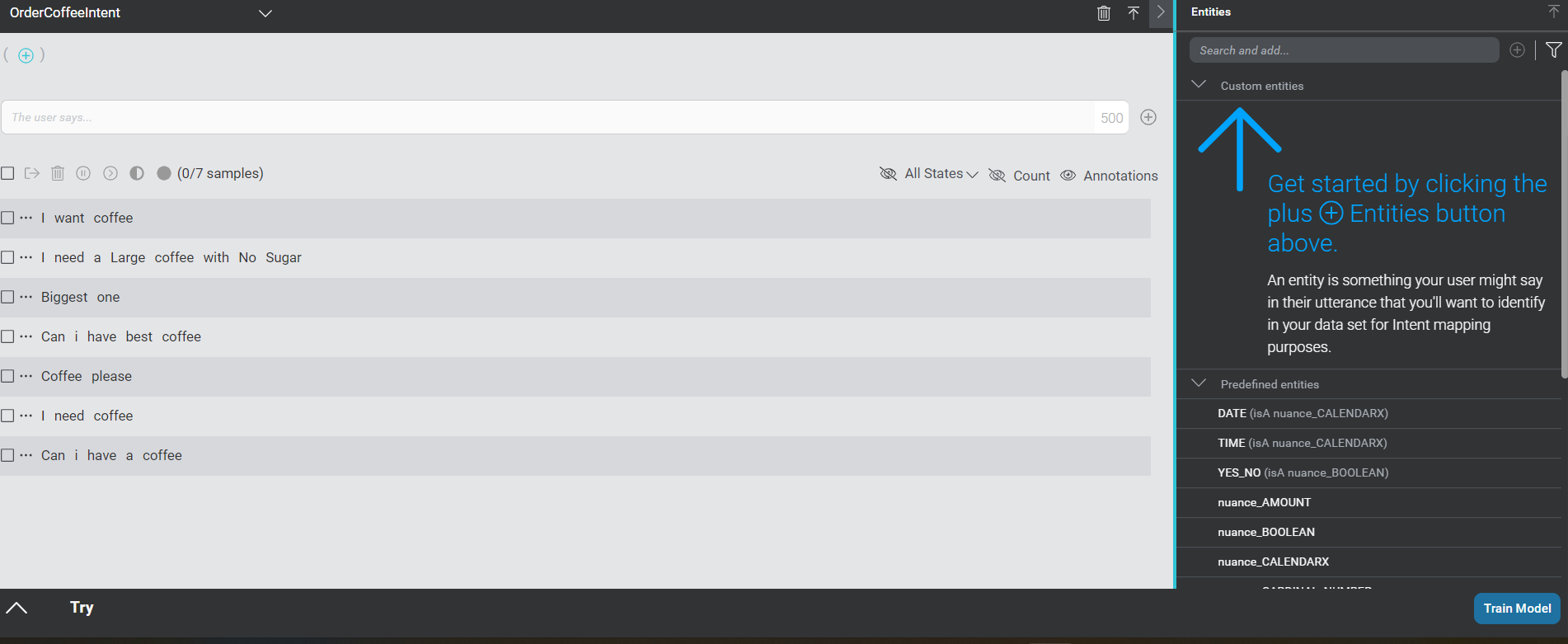
Now we have added sample text to the Intent (OrderCoffeeeIntent), lets try, how it works. Click on the try button on the bottom left side.
Type “I need coffee” and click on try button. You can see using these words, NLU is able to identify the intent. You can add more sentences to try.
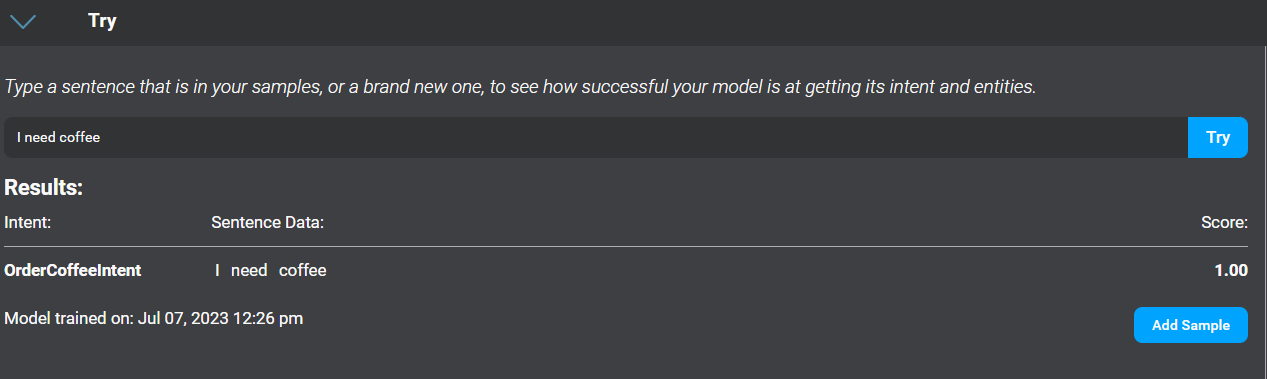
In the next step, we will see, if the user has mentioned size of coffee and capture that into an entity.
Type the entity name SizeOfCoffee as shown below, select data type as alphanumeric and click on + icon.

This entity is a list and can store multiple values, we need to provide how we are collecting the value from the user, you can see two text boxes in the below image –
- What the user will say
- What the app will understand
So, an example would be, user can say size of coffee as Large or Largest or Big or Biggest, these all are basically different words for Large, you can add values as shown below.
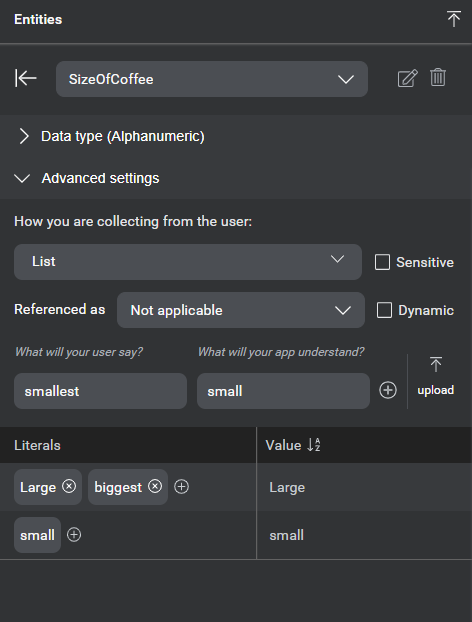
Now, lets see how we can use this entity to capture coffee size mentioned in the NLU. From the sample sentence, select the word where user is mentioning size of the coffee, and link with the entity.
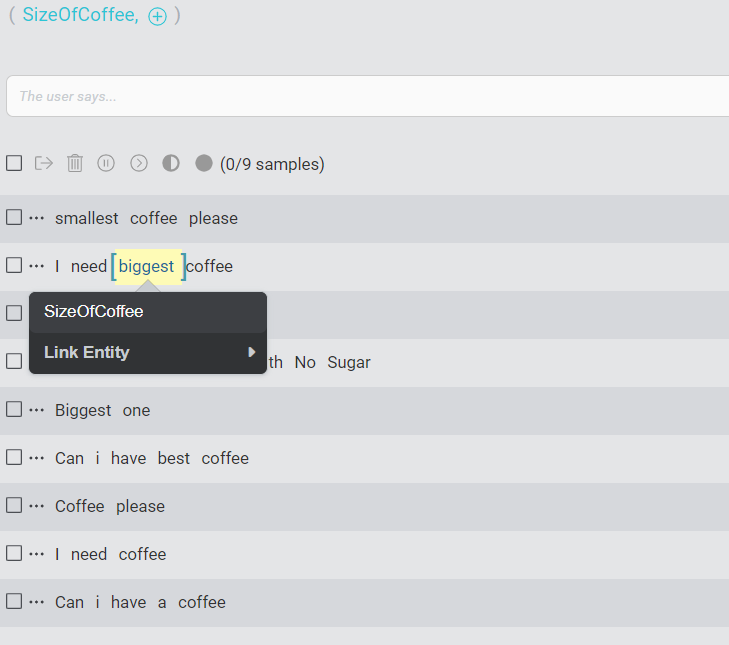
Repeat it for all the sample sentences, where coffee size is mentioned as shown below.
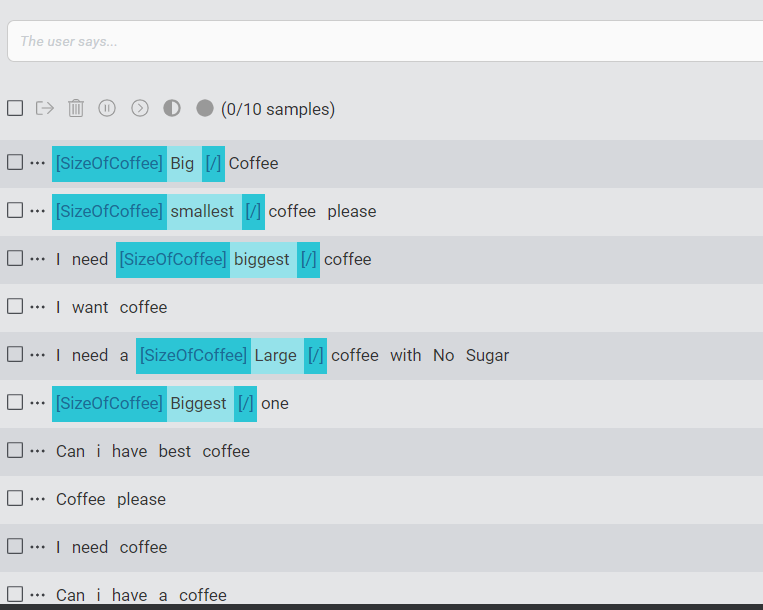
Now, click on Train the Model button to train the NLU.
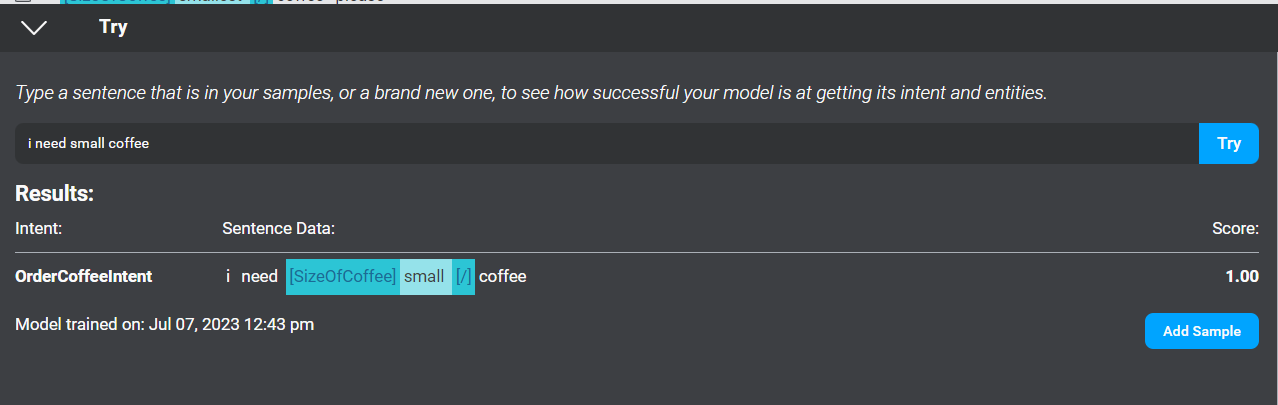
We can try and see the NLU model by clicking on Try button. Type “I need small coffee”, Bot identifies the Intent as OrderCoffeeIntent and coffee size as small.
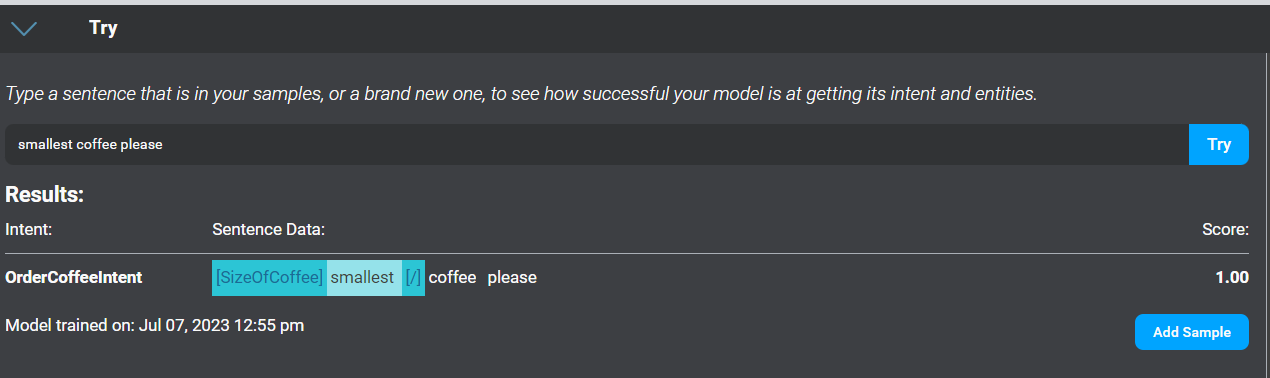
Lets try one more by saying smallest coffee. Bot identifies the Intent as OrderCoffeeIntent and coffee size as small.
To summarize, we have seen NLU, Intents and Entity. In upcoming session, I will explain about Dialogs and hosting of the Bot.
Thanks.. You can read through the Part II to complete the BOT building logic.






 decodeDynamics
Leave a reply to Harshvardhan Tejwal Cancel reply